
Setup Steps
Step 1: Access Settings
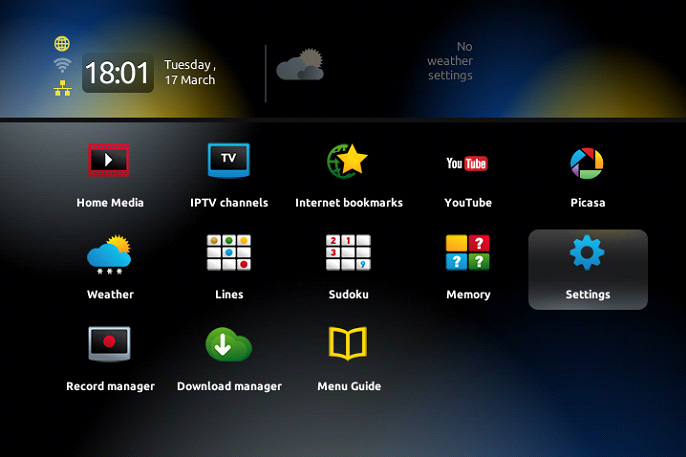
Power on your MAG device. From the main portal screen, press the SETUP/SET button on your remote control to access the settings menu.
Step 2: Navigate to System Settings
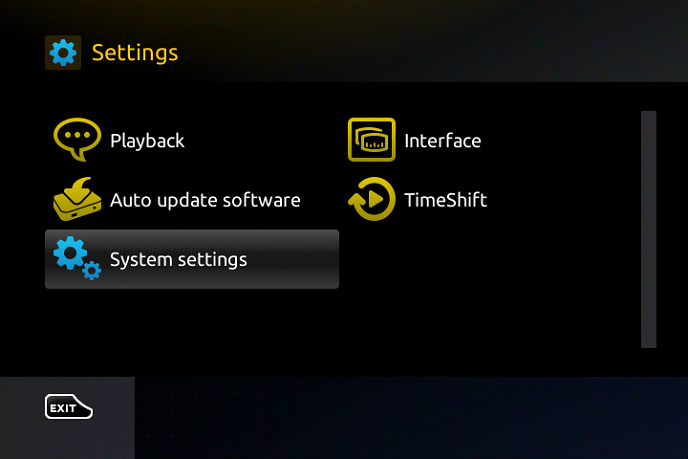
Select System settings from the menu, then choose Servers to access the portal configuration.
Step 3: Select Portals
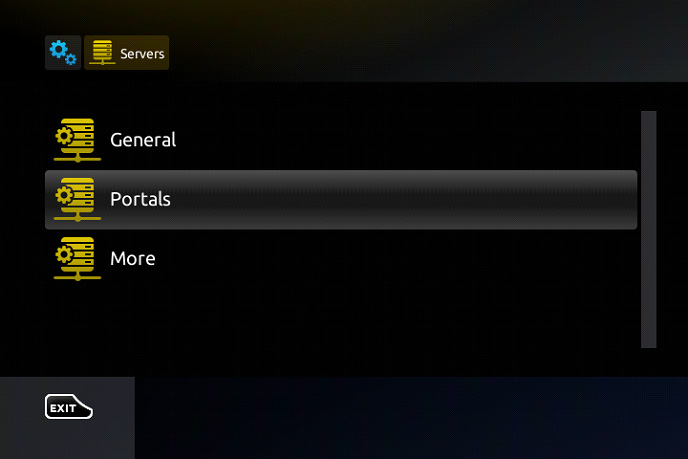
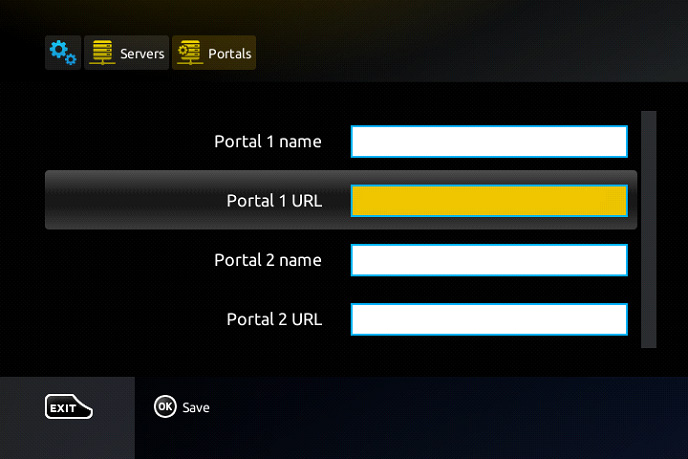
Choose Portals from the Servers menu to configure your IPTV portal settings.
Step 4: Enter Portal Details
In the Portal 1 name field, type “World Media Server”. In the Portal 1 URL field, enter the portal address provided in your welcome email.
Step 5: Save and Restart
Press OK on your remote to save the changes. Exit the settings menu by pressing the back button twice, then restart your MAG device.
Tips
- Make sure your MAG device is connected to the internet via Ethernet for best performance
- Write down your MAC address (found in System Info) before contacting support
- If channels don’t load, try restarting your device after 5 minutes
- The MAC address format is: 00:1A:79:XX:XX:XX