
Setup Steps
Step 1: Access Google Play Store
From the home screen, open the Google Play Store.
Step 2: Install IPTV App
Search for and install IPTV Smarters Pro, TiviMate, or your preferred IPTV app.
Step 3: Open the App
Launch the installed IPTV application.
Step 4: Enter Credentials
Configure the app with your Xtream Codes or M3U credentials from your World Media Server welcome email.
Step 5: Start Watching
Your channels will load and you can start streaming on your big screen.
Tips
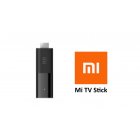
- Mi TV Stick / Mi Box run full Android TV — all Play Store apps work
- TiviMate gives the best experience on Mi devices
- 5GHz WiFi recommended; use USB Ethernet adapter for even better stability
- Pair a Bluetooth keyboard for easier text input when entering credentials