

Setup Steps
Step 1: Install Net IPTV
Download Net IPTV from your TV’s app store. The app offers a 7-day free trial.
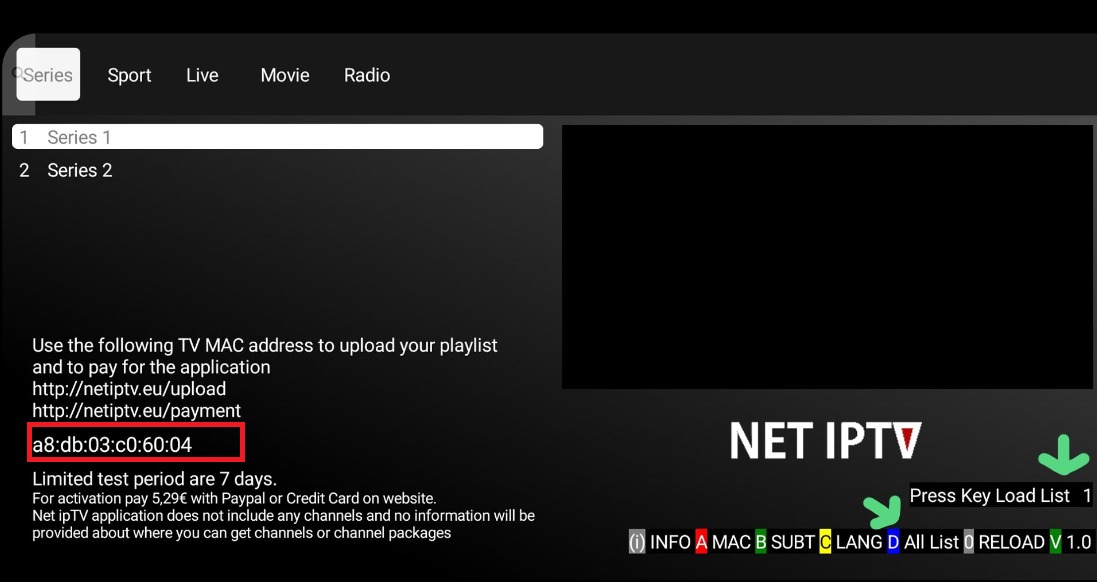
Step 2: Get Your MAC Address
Open the app and note down the MAC address displayed on screen.
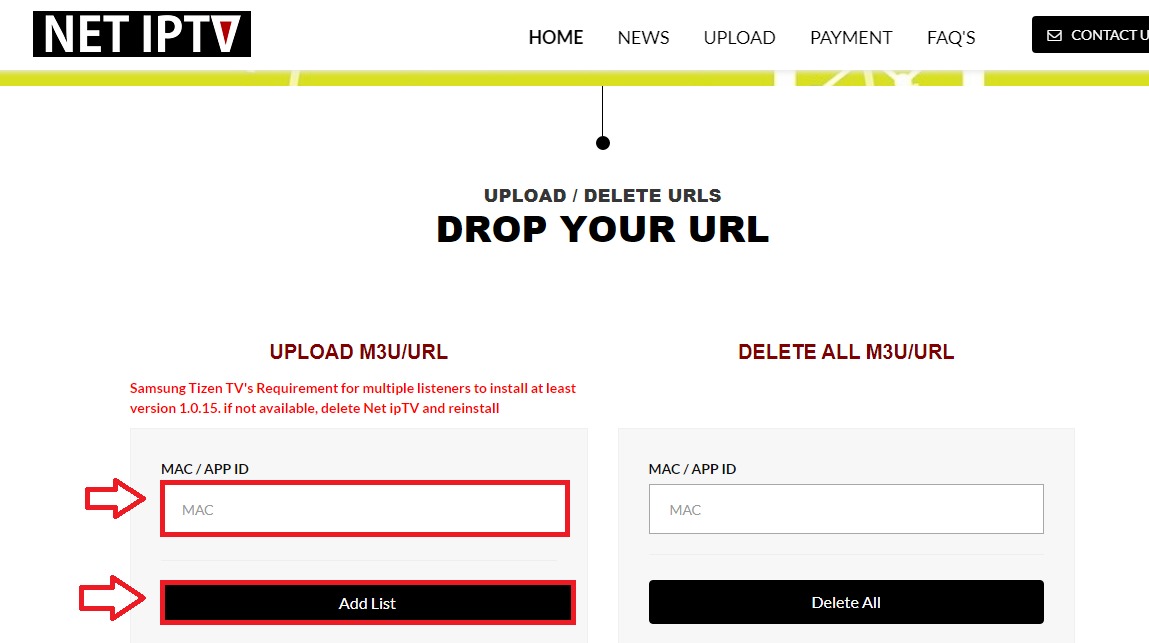
Step 3: Add Playlist Online
Visit https://netiptv.eu/panel on your computer. Enter your MAC address and M3U playlist URL from your World Media Server welcome email.
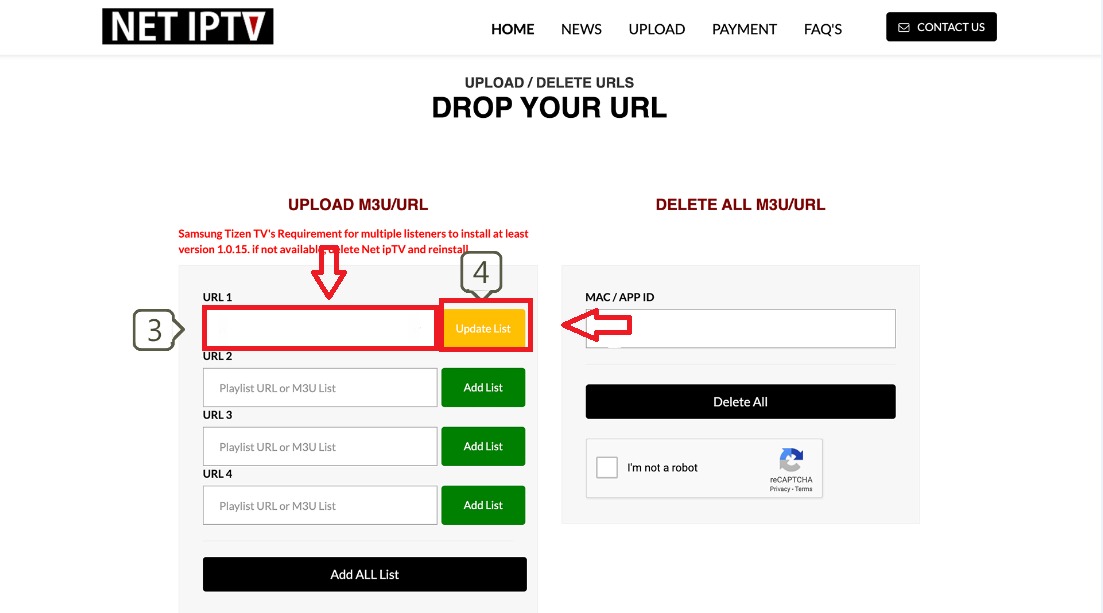
Step 4: Activate and Restart
Click Submit and restart the Net IPTV app on your TV. Channels will load automatically.
Tips
- Net IPTV is free with optional paid features
- The panel allows you to manage multiple playlists
- Supports EPG (Electronic Programme Guide) via XMLTV URL
- Works on both Samsung Tizen and LG WebOS TVs