

Setup Steps
Step 1: Download VLC
Visit videolan.org and download the latest version of VLC for your operating system. Install it normally.
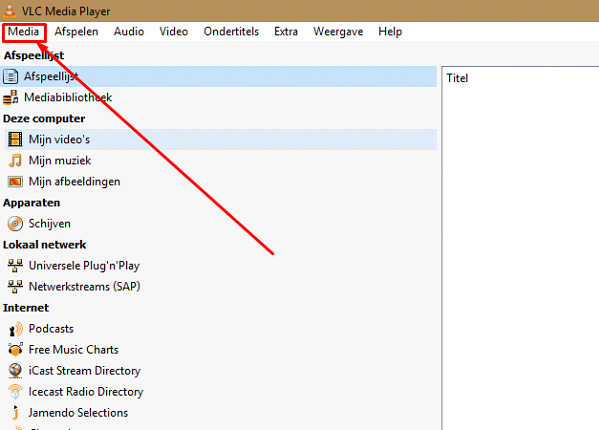
Step 2: Open Network Stream
Open VLC, go to Media menu (Windows) or File menu (Mac), then select Open Network Stream (Ctrl+N on Windows, Cmd+N on Mac).
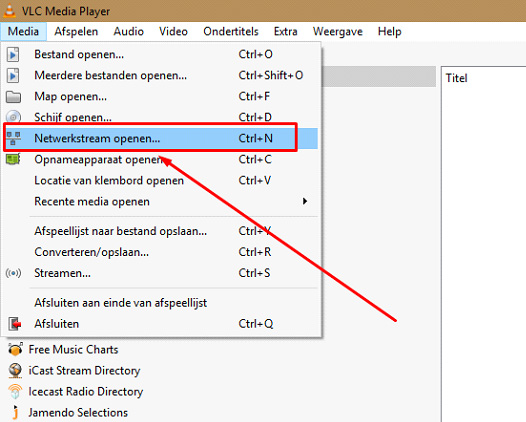
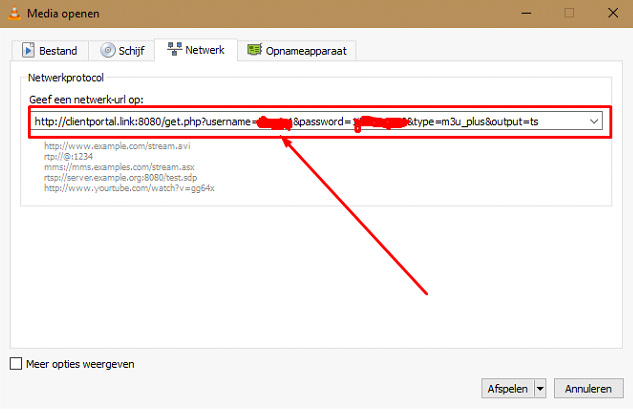
Step 3: Enter Your M3U URL
In the dialog box, paste your World Media Server M3U URL in the Network URL field.
Step 4: Play
Click Play. VLC will load your channel list as a playlist. This may take a few seconds.
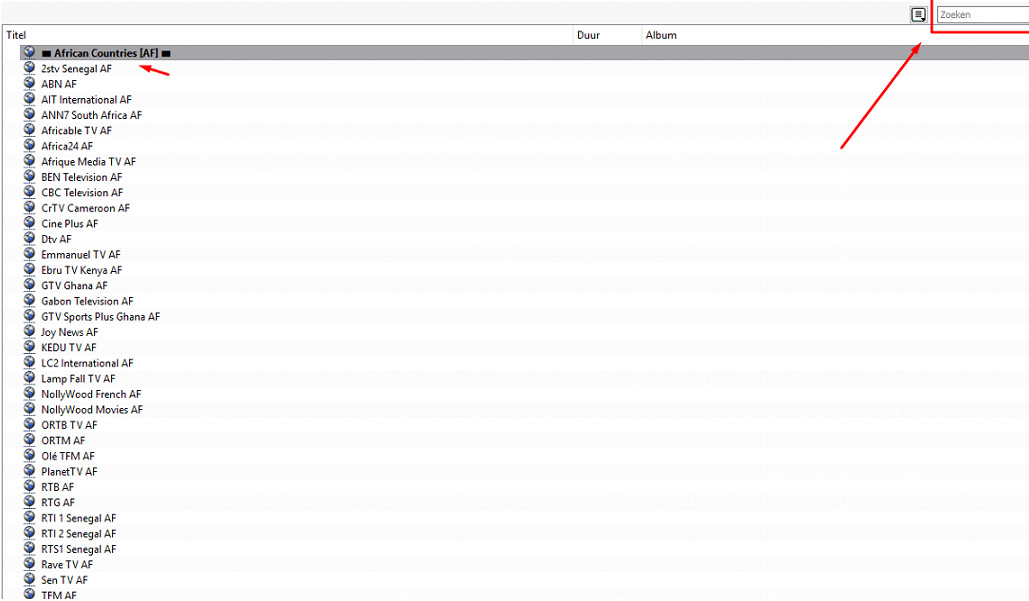
Step 5: Browse Channels
Once loaded, the playlist will appear in the left sidebar. Click any channel to start streaming.
Tips
- Press
Ctrl+Lto show/hide the playlist panel - Use View → Playlist for a better browsing experience
- Go to Tools → Preferences → Input / Codecs and increase the network caching to 3000ms for smoother playback
- VLC supports hardware acceleration — enable it in Preferences for smoother 4K playback